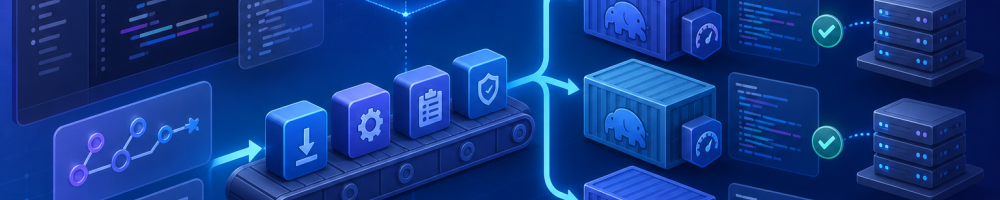
PHP 8.6.0 RC3 was published on 8 October 2026, placing the release candidate inside the final testing phase for the next PHP version. The PHP project explicitly describes release candidates as builds for testing and warns that they should not be used in production. ([php.net](https://www.php.net/?=PHPE9568F35-D428-11d2-A769-00AA001ACF42&utm_source=openai))
For Drupal teams, this is the right moment to test applications, custom modules and deployment tooling—not the right moment to change the PHP version of a live site. Drupal’s current PHP requirements show that PHP 8.6 support is not yet generally available across the maintained Drupal branches. Drupal 11.4 lists PHP 8.5 as supported, while PHP 8.6 is marked as pending further work; Drupal 12 similarly points to the relevant compatibility issue rather than declaring support. ([drupal.org](https://www.drupal.org/docs/getting-started/system-requirements/php-requirements?utm_source=openai))
What PHP 8.6 RC3 means for a Drupal site
A PHP release candidate is not equivalent to a stable, supported runtime. It is a near-final build intended to expose compatibility problems while there is still time to fix them. That distinction matters because Drupal applications are not just Drupal core. A typical production site also contains:
- Contributed modules with different maintenance schedules.
- Custom modules and themes owned by the project team.
- Composer plugins and deployment tools.
- PHP extensions such as GD, ImageMagick integrations, Redis or database drivers.
- Drush commands, cron jobs, queue workers and import scripts.
- Application-specific integrations with payment, search, analytics or identity services.
PHP compatibility therefore has several dimensions. The code may parse successfully but fail at runtime. A dependency may declare that it supports PHP 8.6 while still containing an edge-case incompatibility. An extension may not yet provide a suitable build. Or the web request path may work while a command-line process fails because the CLI binary uses a different PHP configuration.
The goal of an early test is not to prove that every Drupal site is compatible. It is to identify actionable failures early enough that maintainers can fix them, report them upstream or plan a controlled upgrade window.
Establish the supported baseline first
Before introducing PHP 8.6 into a test environment, record the versions that are actually supported by the site. Drupal’s PHP requirements page was updated on 4 August 2026 and lists PHP 8.3, 8.4 and 8.5 across different Drupal 11 branches. It does not currently present PHP 8.6 as generally supported for Drupal 11. ([drupal.org](https://www.drupal.org/docs/getting-started/system-requirements/php-requirements?utm_source=openai))
Drupal 11 sites should also use a sufficiently recent Composer version. The Drupal documentation states that Drupal 11 requires Composer 2.7.0 or higher. ([drupal.org](https://www.drupal.org/docs/getting-started/system-requirements/composer-requirements?utm_source=openai))
Capture the baseline in the project before changing anything:
php --version
composer --version
composer show drupal/core-recommended --direct
composer show --locked
vendor/bin/drush status
Save the output as a build artefact or attach it to the test issue. It gives you a precise comparison point if the PHP 8.6 job fails while the supported PHP job passes.
Also inspect the project’s declared PHP constraint:
composer why-not php 8.6
composer prohibits php 8.6
why-not and prohibits are Composer aliases that help identify packages blocking a platform version. The result may come from Drupal core, a contributed module, a Symfony component, a development dependency or a project-level constraint in composer.json.
Do not remove a constraint simply to make the solver complete. A package refusing PHP 8.6 may be expressing a real compatibility limitation. Treat the solver output as a dependency investigation, not an obstacle to bypass.
Create an isolated PHP 8.6 test environment
A production-like test environment should be disposable, reproducible and separate from the environment used by editors or developers for everyday work. DDEV is a practical choice for Drupal development and its documentation is specifically recommended in Drupal’s installation guidance. ([drupal.org](https://www.drupal.org/docs/getting-started/installing-drupal/before-a-drupal-installation?utm_source=openai))
Start by creating a separate working copy or branch. Keep the existing lock file intact and make a deliberate change to the PHP version in the test configuration. The exact DDEV image available to your team may vary, so verify the image tag supported by the installed DDEV release rather than assuming that every future PHP tag exists.
A typical project-level configuration uses the PHP version as a setting:
name: example-drupal
type: drupal11
docroot: web
php_version: "8.6"
database:
  type: mariadb
  version: "10.11"
webserver_type: nginx-fpm
router_http_port: "8080"
router_https_port: "8443"
After changing the configuration, rebuild the container rather than relying on a partially updated environment:
ddev config
ddev restart
ddev describe
ddev exec php --version
ddev exec php -m
If the selected PHP image is unavailable, stop there and use a different disposable runtime such as an official PHP container or a CI runner that provides the release candidate. Do not substitute PHP 8.5 and describe the result as an 8.6 test.
Check the extensions required by the site. Drupal core requires extensions including PDO, XML, OpenSSL, JSON, cURL and Mbstring, while individual modules can add their own requirements. ([drupal.org](https://www.drupal.org/docs/getting-started/system-requirements/php-requirements?utm_source=openai))
ddev exec php -m | sort
ddev exec php --ini
ddev exec composer check-platform-reqs
The final command checks the installed dependency set against the current runtime and extensions. It is particularly useful when the PHP binary works but an extension-backed feature does not.
Keep the first test conservative
Do not combine a PHP runtime change with a Drupal core upgrade, a contributed-module update and a Composer major-version change. If the test fails, you need to know which change caused it.
The safest first pass is:
- Restore the existing database and files into the disposable environment.
- Install the existing lock file without changing dependency versions.
- Run database updates only if the restored environment requires them and the test plan allows it.
- Run automated tests and smoke tests against the unchanged application.
- Only then investigate dependency updates required for PHP 8.6.
For a Composer-managed Drupal project, use the lock file to reproduce the application:
ddev exec composer install \
  --no-interaction \
  --prefer-dist \
  --no-progress

ddev exec drush status
ddev exec drush cr
If Composer refuses to install because the project’s platform requirement excludes PHP 8.6, record the error before changing anything. That error is valuable evidence. It tells you that the current dependency graph has not declared compatibility, which is materially different from a successful installation followed by a runtime failure.
Separate dependency resolution from application testing
There are two different questions to answer:
- Can the existing lock file run on PHP 8.6?
- Can a refreshed dependency graph run on PHP 8.6?
Answer the first question without updates. For the second, create a separate branch and update only the packages needed to resolve the platform constraint. Drupal’s standard update command updates the Drupal core packages and their dependencies together, but it should be used intentionally and reviewed in version control. ([drupal.org](https://www.drupal.org/project/drupal/releases/11.4.0?utm_source=openai))
git switch -c test/php-8.6
cp composer.json composer.json.php86-test
cp composer.lock composer.lock.php86-test

composer update --dry-run
composer update --with-all-dependencies --dry-run
If the dry run identifies a specific package, investigate its release notes and issue queue before allowing the update. Avoid broad commands such as updating every dependency unless that is the actual change being evaluated.
Review the resulting lock-file diff carefully:
git diff -- composer.json composer.lock
composer outdated --direct
composer audit
A PHP compatibility test should not silently become a dependency refresh project. If dependency updates are required, test and document them as a separate workstream.
Run Drupal’s automated checks
Start with the project’s existing test commands. Do not invent a new test suite just for the runtime experiment if the repository already has one. Common Drupal projects use PHPUnit, Drupal’s browser tests, PHPStan or Psalm, PHP CodeSniffer and custom shell scripts.
A basic sequence might look like this:
vendor/bin/phpunit -c web/core/phpunit.xml.dist
vendor/bin/phpcs --standard=Drupal,DrupalPractice web/modules/custom web/themes/custom
vendor/bin/phpstan analyse -c phpstan.neon
ddev exec drush status
ddev exec drush cron
The paths and configuration files are project-specific. Use the commands defined in composer.json or the project documentation if they differ.
Prioritise tests that exercise code likely to expose runtime changes:
- Entity queries and custom database queries.
- Form submission and validation.
- File and image processing.
- JSON:API, REST and custom controllers.
- Queue workers and cron tasks.
- Search indexing and external API clients.
- Authentication, session handling and access checks.
- Commerce checkout, payment callbacks and order processing.
- Multilingual content and translation imports.
A green unit-test suite is useful but insufficient. Drupal applications often place important behaviour in configuration, Twig templates, plugins, event subscribers, queued jobs and third-party services that are not covered by unit tests.
Use a small but meaningful smoke-test matrix
After automated tests, build a repeatable smoke-test checklist. Run it against both the supported baseline and PHP 8.6 RC3 so that failures can be compared rather than judged in isolation.
Web requests
- Anonymous home page and representative landing pages.
- Authenticated user login and logout.
- Content creation, editing, revision and moderation.
- Media upload and image derivative generation.
- Search and filtered listings.
- JSON:API or other machine-facing endpoints.
Command-line operations
- Cache rebuild.
- Database updates in a disposable copy.
- Cron execution.
- Queue processing.
- Search indexing.
- Configuration import and export.
ddev exec drush cr
ddev exec drush cron
ddev exec drush queue:run
ddev exec drush config:status
ddev exec drush config:export --destination=/tmp/config-export
The exact queue names and available Drush commands depend on the installed modules and Drush version. Run the project’s normal operational commands rather than assuming that every site exposes the same command set.
Inspect PHP-FPM, web-server and Drupal logs after each group of tests. A request that returns HTTP 200 may still produce deprecation notices, warnings or failed queue operations that only appear in logs.
Look specifically for PHP compatibility failures
PHP release testing should focus on changes in language behaviour, removed functionality, stricter internal APIs and extension behaviour. Do not rely only on fatal errors. Deprecation notices and warnings can become release blockers when an organisation treats production logs as an operational signal.
Capture errors in a machine-readable way where possible:
ddev exec php -d display_errors=1 -d error_reporting=-1 \
  vendor/bin/phpunit -c web/core/phpunit.xml.dist \
  --log-junit /tmp/phpunit-php86.xml
Review custom code for patterns that commonly become fragile during PHP upgrades:
- Dynamic properties on classes that do not explicitly allow them.
- Assumptions about internal function parameter types.
- String, integer or boolean coercion at integration boundaries.
- Reflection or serialisation of framework objects.
- Direct calls to undocumented internals of Symfony, Twig or Drupal.
- Custom error handlers that convert notices into exceptions.
- Legacy interfaces implemented without current return types.
Do not “fix” a warning by suppressing it globally. A suppression may hide a real incompatibility in a payment callback, access check or migration process. Fix the code, update the dependency or document a justified temporary exception.
Test the deployment pipeline, not just the application
A runtime upgrade can fail before Drupal starts. Check Composer installation, cache restoration, asset compilation, container builds, health checks and deployment scripts under PHP 8.6.
A GitHub Actions matrix can keep the supported runtime as the required job while adding PHP 8.6 as an explicitly experimental job:
name: Drupal compatibility

on:
  pull_request:
  push:
    branches:
      - main

jobs:
  tests:
    strategy:
      fail-fast: false
      matrix:
        php:
          - '8.5'
          - '8.6'

    runs-on: ubuntu-latest

    steps:
      - uses: actions/checkout@v4

      - name: Set up PHP
        uses: shivammathur/setup-php@v2
        with:
          php-version: ${{ matrix.php }}
          extensions: mbstring, xml, curl, gd, pdo_mysql
          coverage: none

      - name: Install dependencies
        run: composer install --no-interaction --prefer-dist --no-progress

      - name: Check platform requirements
        run: composer check-platform-reqs

      - name: Run tests
        run: vendor/bin/phpunit -c web/core/phpunit.xml.dist
Use the PHP setup action and extension list already approved by your organisation. The example is a pattern, not a guarantee that every Drupal project can use the same runner configuration.
Do not mark the PHP 8.6 job as an unconditional required check while it is based on a release candidate and Drupal does not yet declare broad support for that version. Instead, use it to surface failures, require a review of failures and promote it to a blocking job only when the project’s support policy justifies that decision.
Account for contributed and custom code
Drupal core compatibility does not prove contributed-module compatibility. A module can install successfully and still fail in an administrative form, a queue worker or an infrequently used access path.
For every failure, record:
- The PHP version and exact build.
- The Drupal core version.
- The module, theme or integration involved.
- The smallest reproducible request or command.
- The complete exception, warning or deprecation message.
- Whether the same test passes on the supported PHP baseline.
- Whether the failure is already reported upstream.
When reporting an issue, avoid attaching sensitive configuration, database exports or production credentials. Reduce the example to a test fixture or a minimal reproduction. This makes it more likely that maintainers can act on the report and prevents a compatibility investigation from becoming a security incident.
Do not upgrade production yet
There are several independent reasons to keep PHP 8.6 RC3 away from production:
- It is still a release candidate, not a final PHP release.
- Drupal’s current requirements do not yet list it as generally supported across the relevant branches. ([drupal.org](https://www.drupal.org/docs/getting-started/system-requirements/php-requirements?utm_source=openai))
- Contributed modules and hosting platforms may not yet support it.
- Operating-system packages, monitoring agents and PHP extensions may lag behind.
- Security and support contracts may require an officially supported runtime.
Use a feature branch, disposable environment or non-public staging site. Ensure the staging site cannot send real transactional email, charge payment cards, modify production systems or call live destructive APIs. Use test credentials and explicit network restrictions where possible.
Keep a rollback plan even for staging. Preserve the previous container image, Composer lock file, database snapshot and configuration export. A test is only useful if the team can repeat it and return to the baseline cleanly.
Define the promotion criteria
Before testing begins, write down what “ready” means. A sensible promotion policy might require:
- PHP 8.6 has reached a stable release.
- Drupal documents support for the target core branch.
- The project’s direct dependencies allow the runtime without forced constraint bypasses.
- Automated tests pass on both the current and target runtimes.
- Critical browser, cron, queue and integration smoke tests pass.
- Hosting, extensions, observability and deployment tooling are available.
- Contributed-module maintainers have resolved known blockers or the project has an approved mitigation.
- A rollback has been rehearsed.
Keep the supported PHP job in CI after the migration. A compatibility matrix should normally include the minimum supported version and the preferred production version, not just the newest runtime. That prevents an upgrade from accidentally dropping support for environments that the project still promises to maintain.
A practical next step for Drupal teams
PHP 8.6 RC3 is useful precisely because it creates a safe window for finding problems before the final release. The valuable work now is disciplined compatibility testing: establish the baseline, run the unchanged lock file, test the dependency graph separately, exercise web and CLI paths, inspect logs and report minimal reproductions.
For most Drupal projects, the immediate action is not “upgrade to PHP 8.6”. It is “add PHP 8.6 to an isolated compatibility job and learn what breaks”. Keep production on a supported PHP version, track Drupal’s requirements and upstream issue status, and promote the new runtime only when PHP, Drupal core, contributed modules, extensions and the hosting platform all support the move together.